
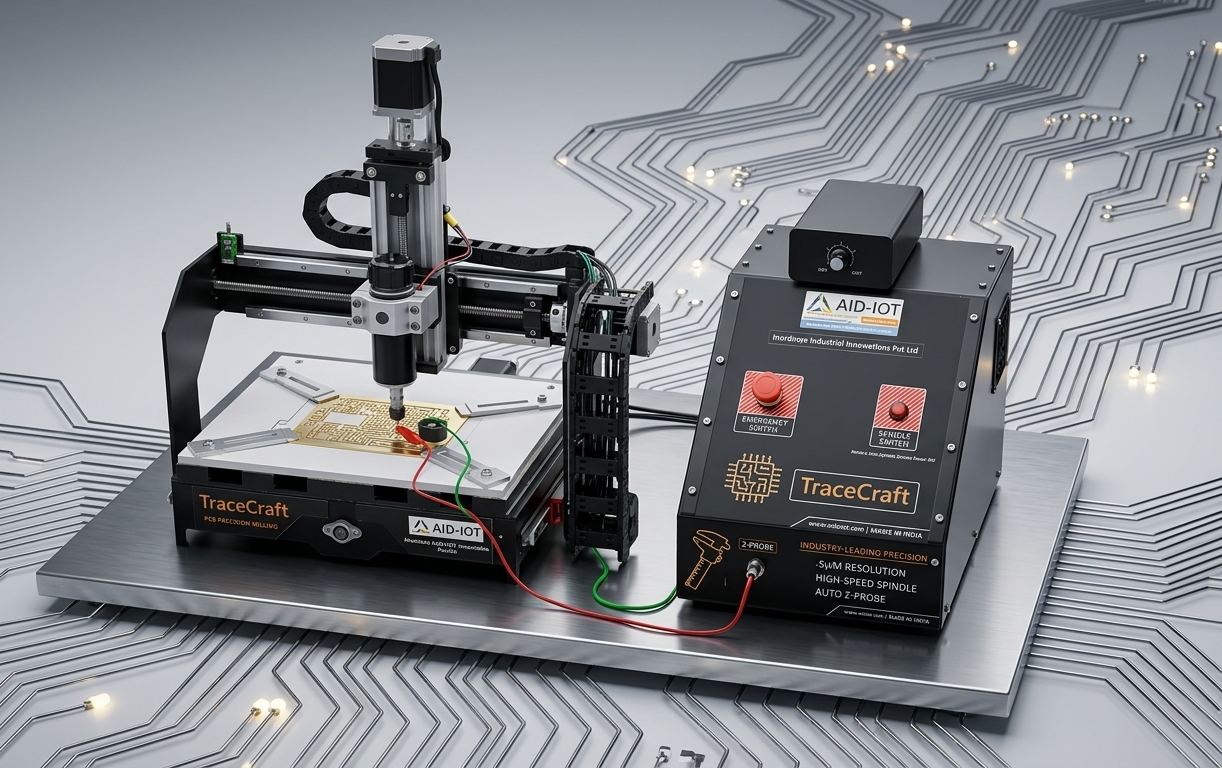
Mill PCBs from a Gerber file.
One app, end to end.
Desktop CAM + GRBL cockpit for prototyping printed circuit boards on a benchtop mill. Seven tabs walk a Gerber from your KiCad export to chips on the spoilboard — autoleveled, simulated, and queued, with zero app-juggling in between.
CHALLENGE
PCB prototyping is stuck across three apps and two hardware races.
Toolpath here, controller there, height map nowhere. Each handoff loses precision, eats a tool, and breaks the moment any one app updates.
HOW WE HELP
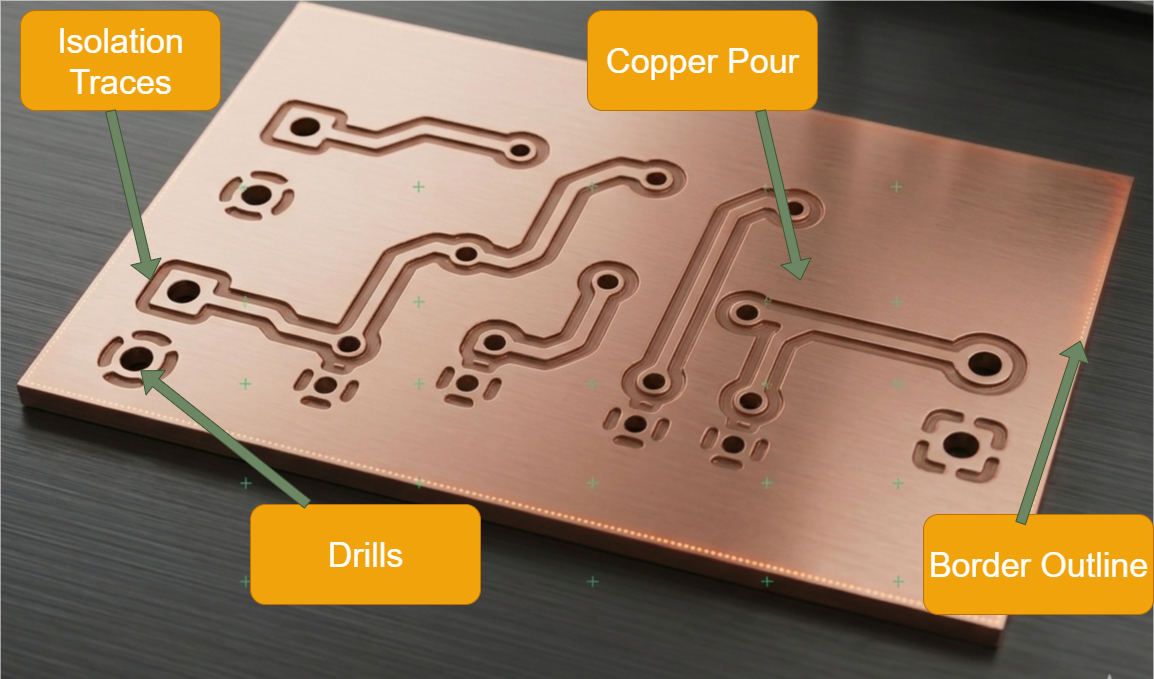
One pipeline. From Gerber to a milled, drilled, cutout board.
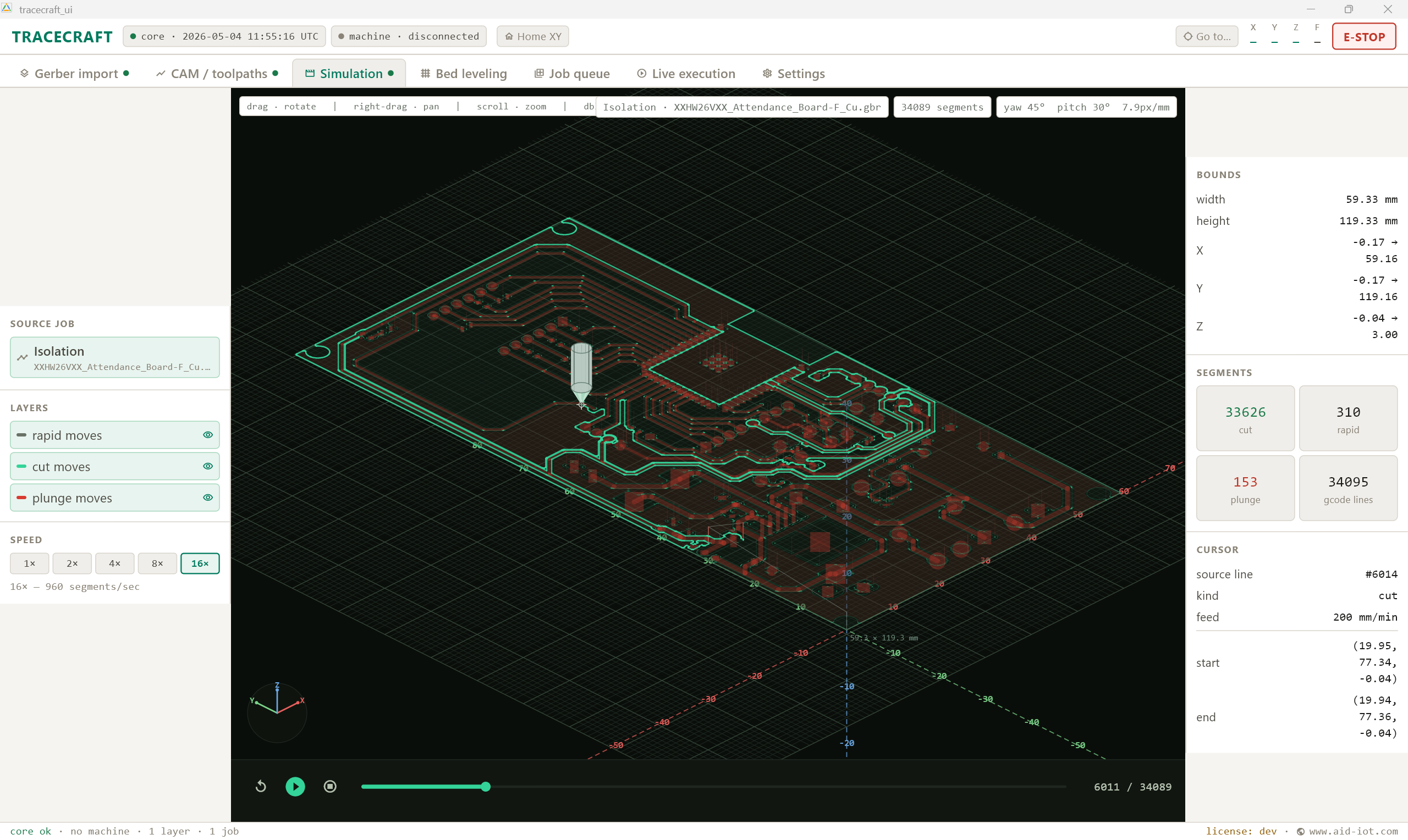
TraceCraft is a single Windows app. Seven tabs walk you from your KiCad export to chips flying off the spindle — with 3D simulation, a 5×4 auto-leveling probe grid, and a job queue that survives bit swaps and board flips.
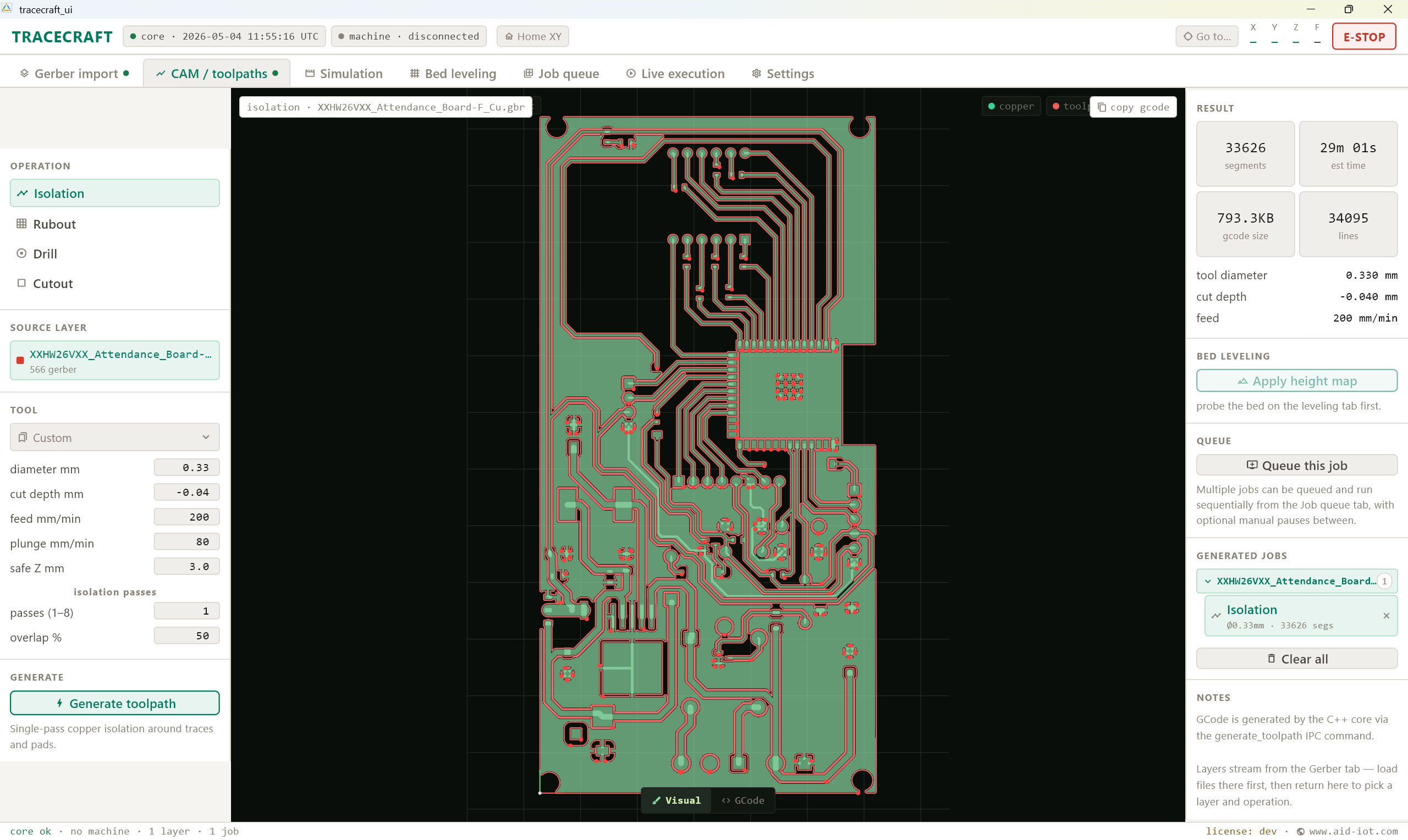
One pipeline — Gerber to G-code in seven tabs
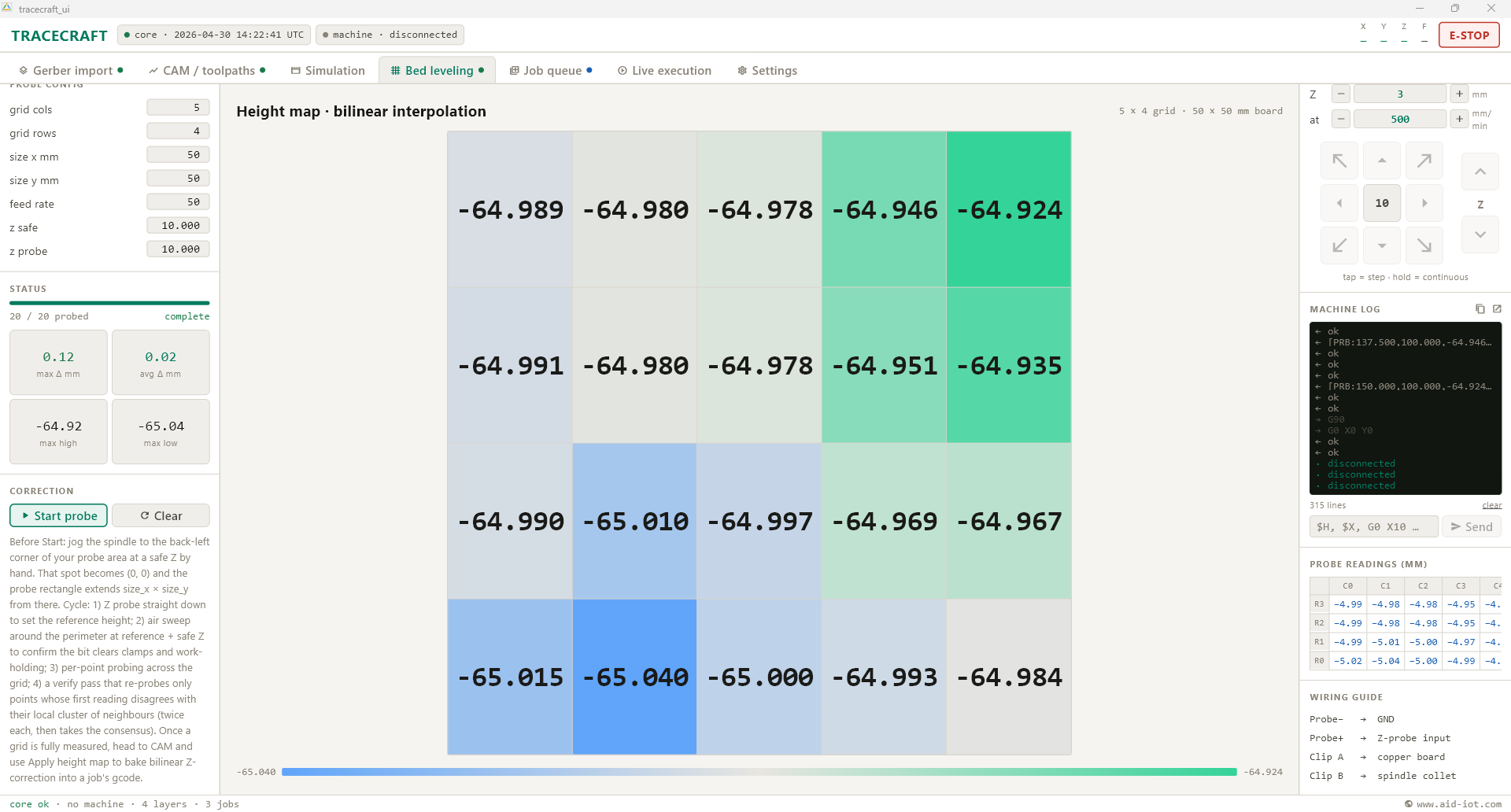
Built-in 5×4 auto-leveling
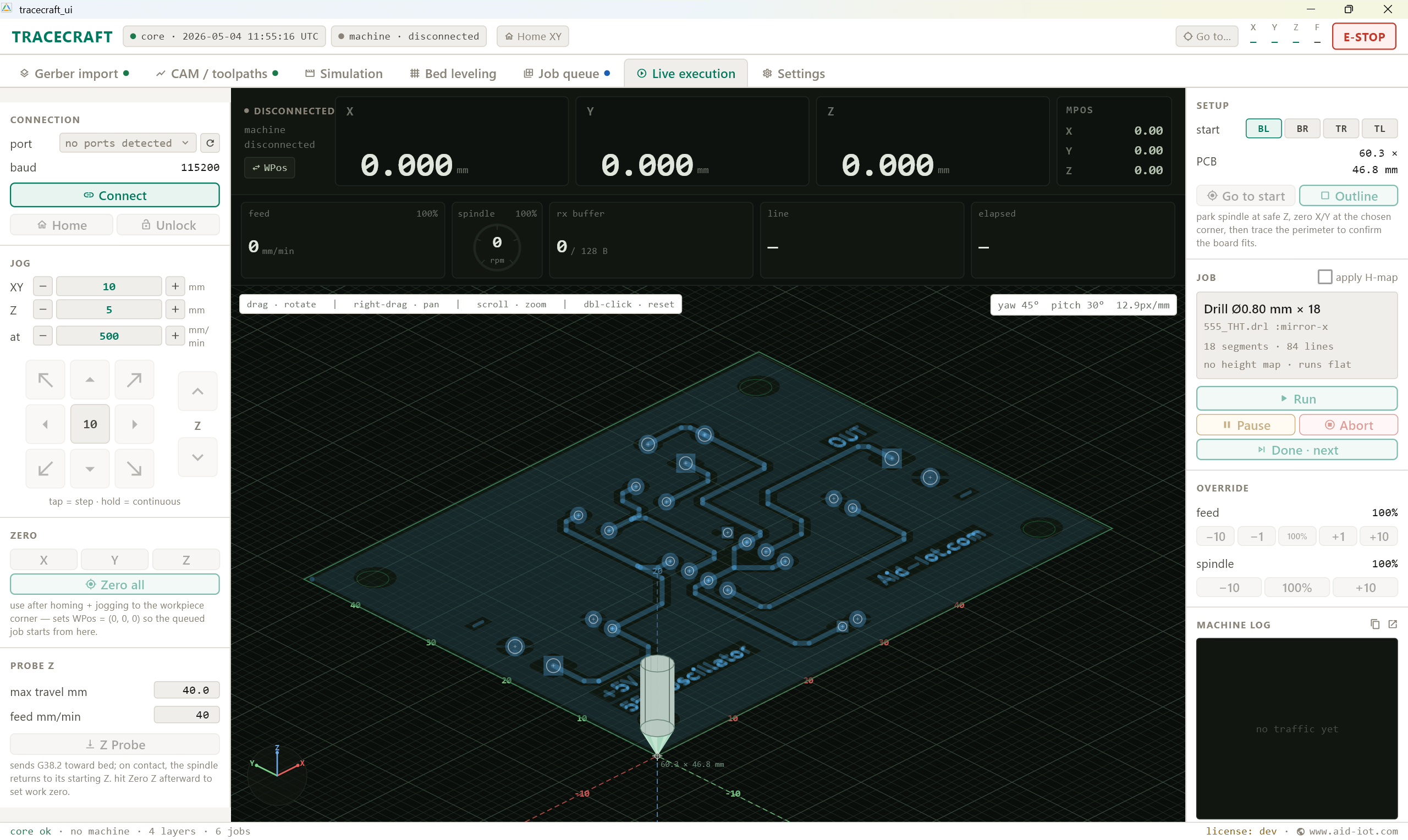
Live cockpit — GRBL state, jog, overrides, E-STOP
TraceCraft CNC bundle — mill + perpetual license
HOW IT WORKS
From .gbr on your disk to chips on the spoilboard
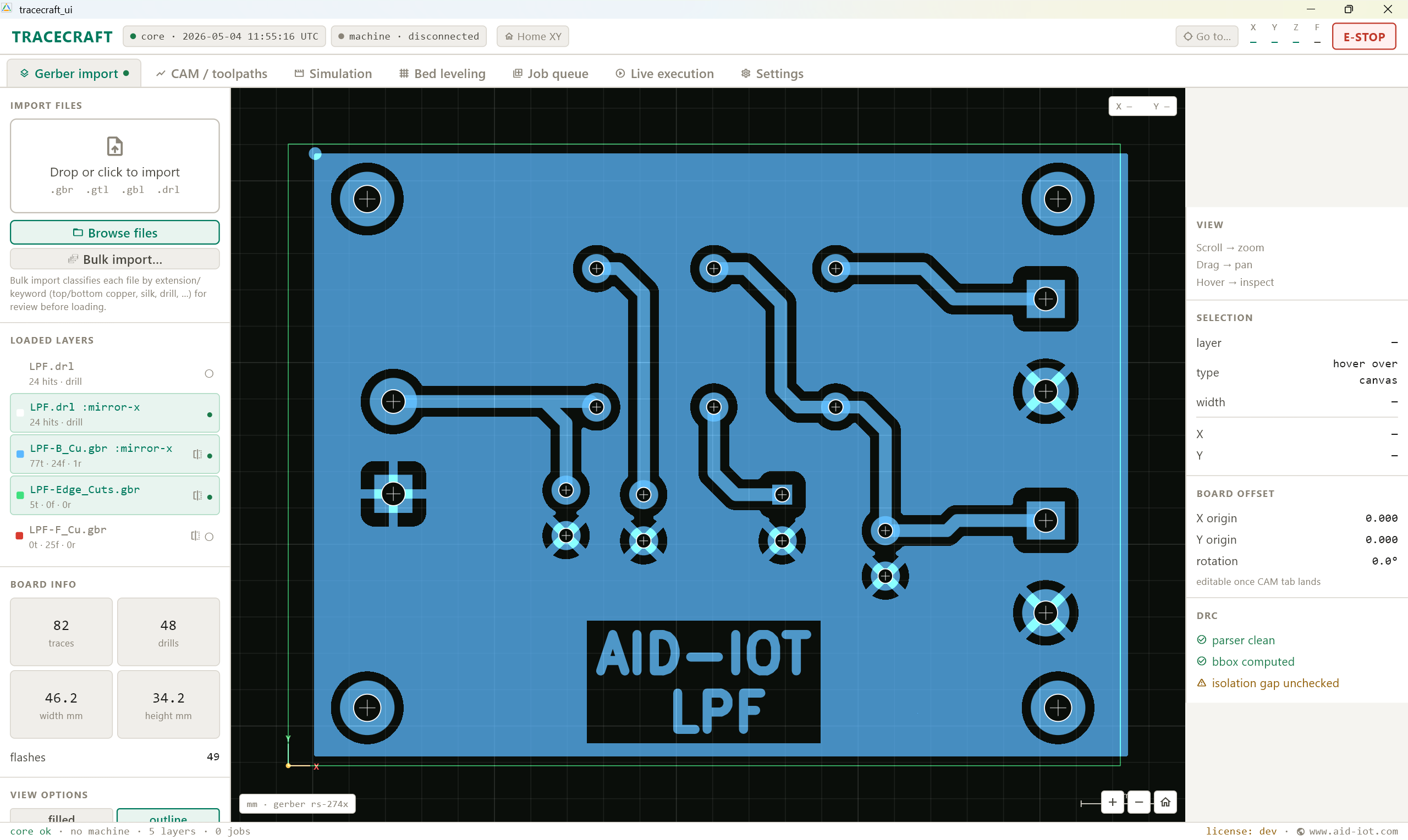
Bulk-import your KiCad Exports/
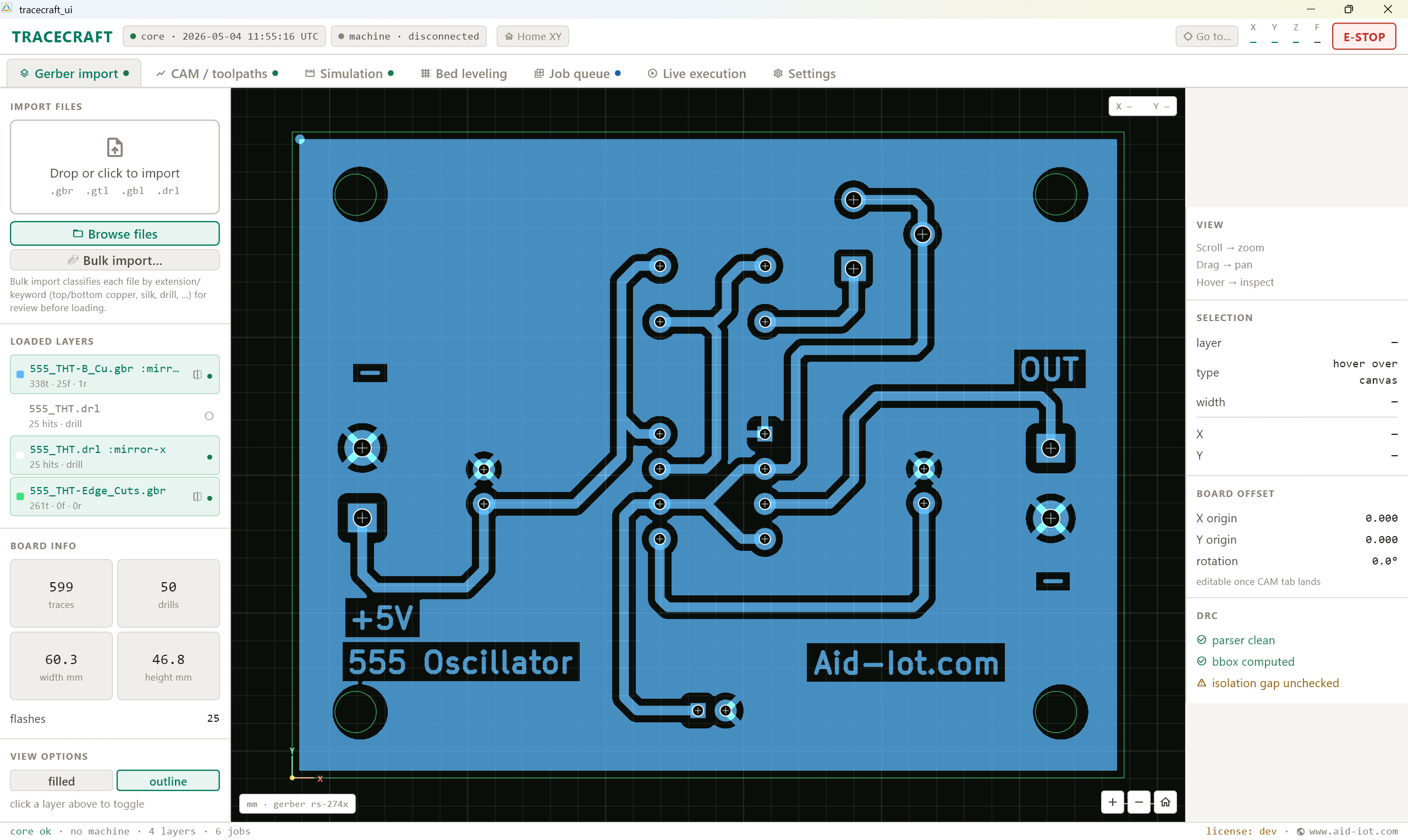
Point at the folder. .gbr, .gtl, .gbl, .gko, .drl auto-classify by filename. Pan, zoom, hover-inspect every trace.
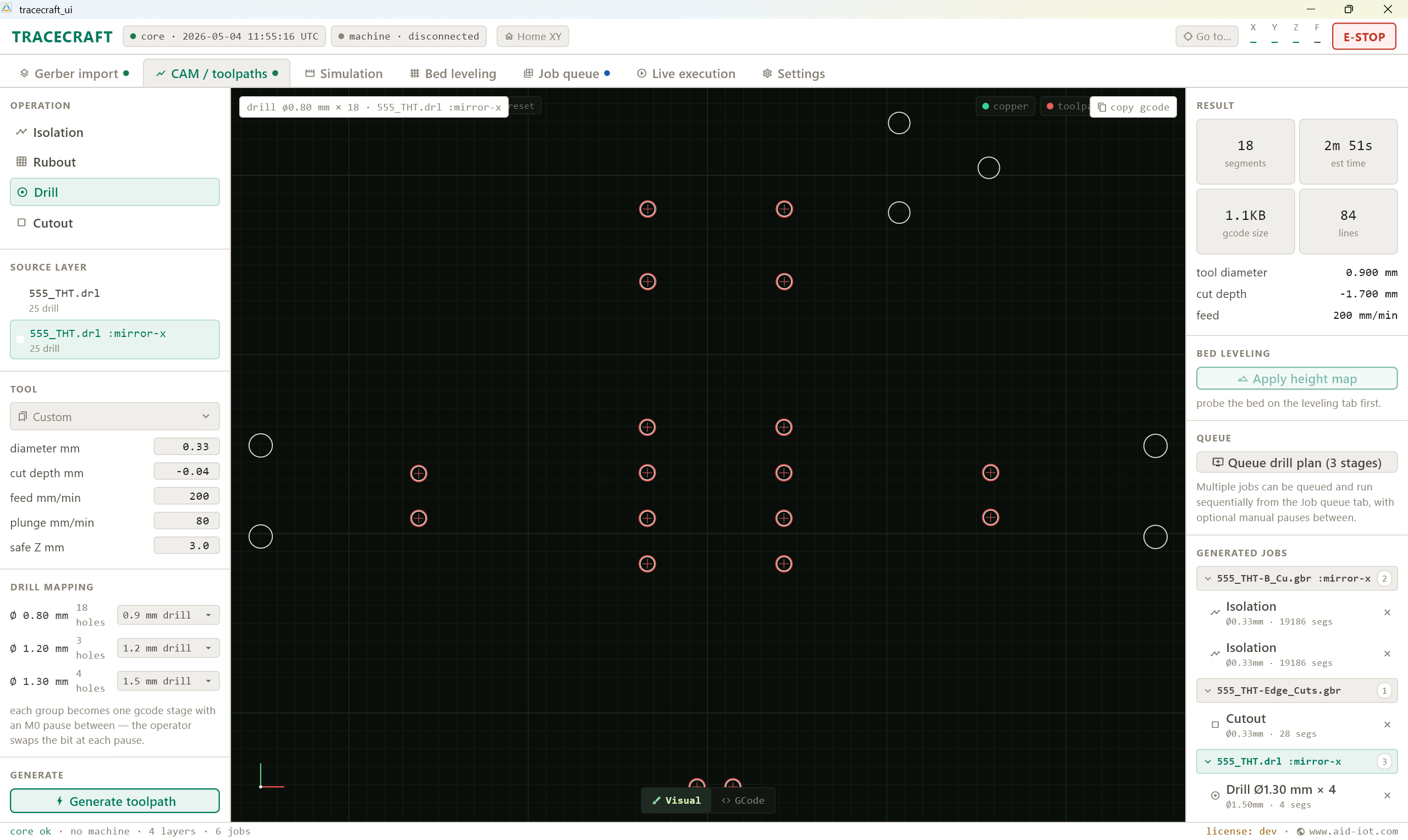
Generate the toolpath
Pick isolation, rubout, drill, or cutout. Set tool, feed, plunge, passes. G-code is ready in milliseconds — and drops straight into the queue.
Probe the board
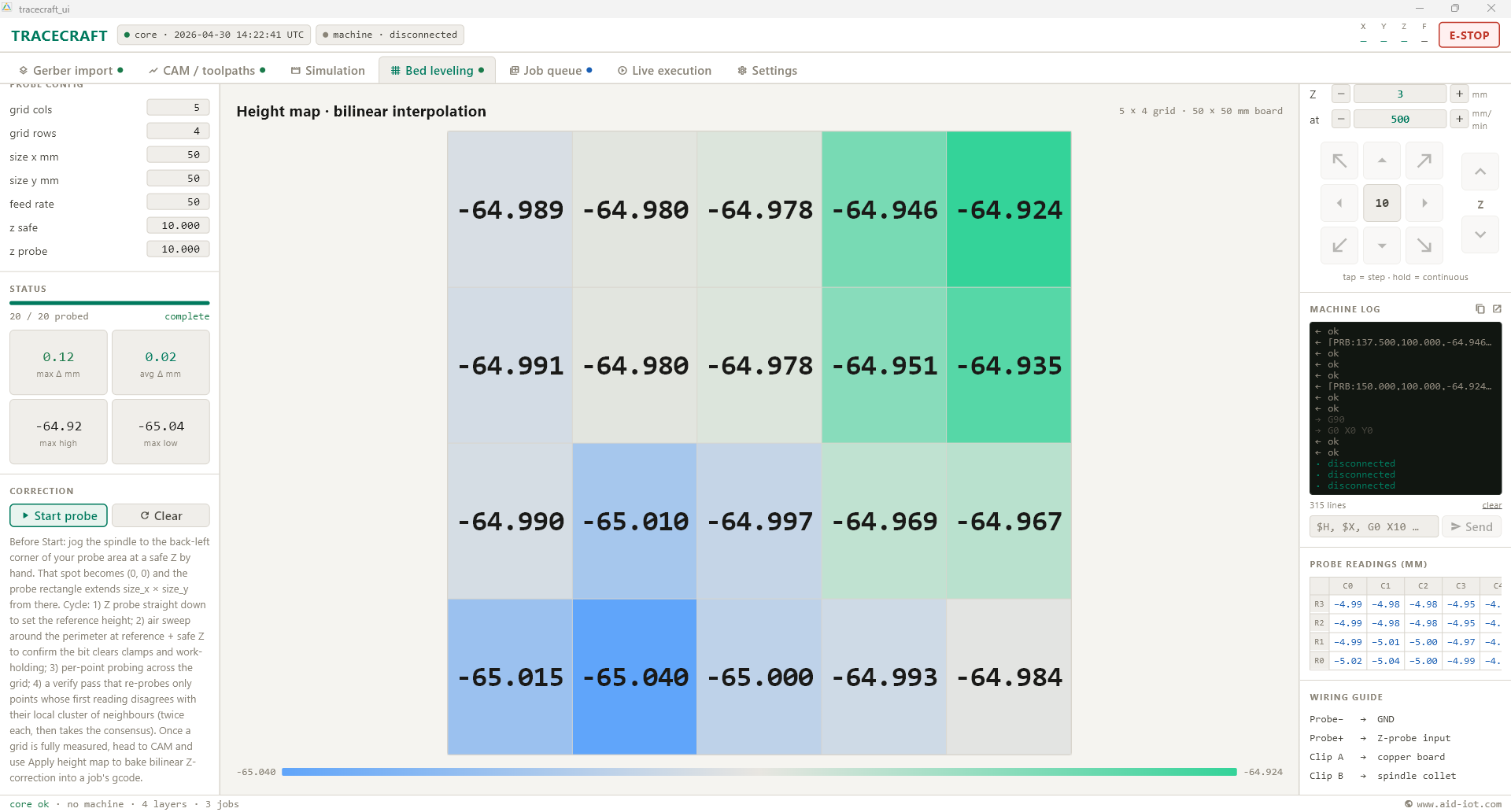
Run a 5×4 probe grid. The height map renders live; one tap applies it to any toolpath so traces never miss the copper.
Mill it
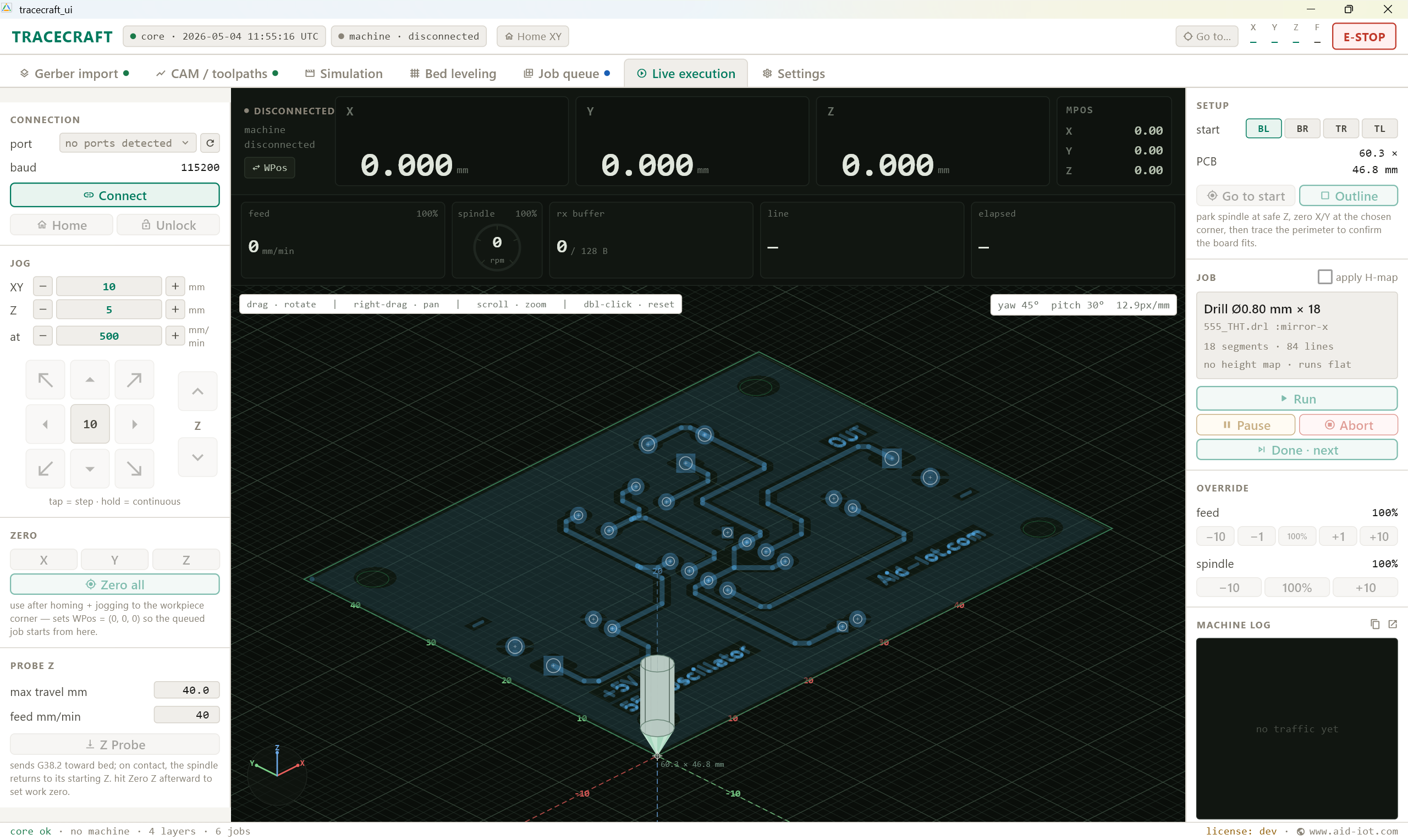
Connect → Home → Touch off Z → Zero X/Y → Start queue. Live DRO, real-time feed/spindle overrides, Esc-bound E-STOP.
Core Features
Seven tabs that replace three apps and a lot of guesswork
BUSINESS BENEFITS
A turnkey desktop PCB lab — built to be fixed, not replaced.
TraceCraft pairs with the AID-IoT desktop CNC. Calibrated, probed, licensed, and documented end-to-end — for prototype labs, embedded teams, and EE classrooms that want one tool from Gerber to finished board. Paid and free editions run the same software.
Day-one milling
Bundle ships calibrated and probed. Open Gerber, mill a board, same afternoon.
Per-machine licensing, no DRM theatre
14-day trial. Activate once per machine, run fully offline. No recurring check-ins, no lockouts mid-job.
Made to be fixed
Free build for offline classrooms and shop floors. Every screw, every spindle, every line of G-code is documented and replaceable.
Have a problem?
We design, deploy, and scale the
solution.
